

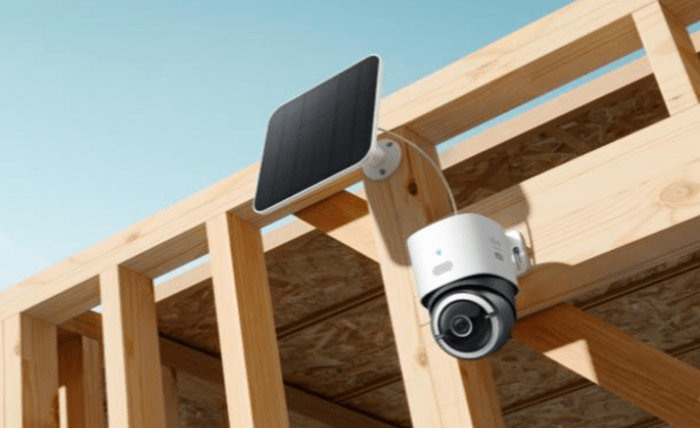
Non-WiFi cameras store and save footage by relying on local storage methods, dedicated recorders, and internal data management systems that operate independently of internet connectivity. Instead of uploading clips to the cloud, these cameras write video files directly to SD cards, NVRs, or on-device memory. This allows them to function even in remote locations or environments with limited network access. Many homeowners choose offline-friendly systems from eufy because they appreciate the reliability and privacy of local recording, but the core storage methods apply across all types of non-WiFi designs. Understanding how a security camera without wifi captures and preserves footage helps users choose the right setup for private, dependable monitoring.
Primary Ways Non-WiFi Cameras Store and Manage Footage
Local SD Cards Provide Independent Recording
One of the most common storage solutions for non-WiFi cameras is the SD card. The camera writes short video clips or continuous footage directly to the card, enabling full operation without networking. This method is simple, reliable, and ideal for remote properties, barns, sheds, or off-grid installations. SD cards store motion-triggered events, time-lapse sequences, or continuous recordings depending on the camera’s settings. Homeowners can remove the card and review footage on a computer, or scroll through it on a connected device when nearby. Many eufy cameras support local storage, giving users direct control of their recordings without relying on cloud services or subscriptions.
Internal Memory Acts as Built-In Storage
Some non-WiFi cameras include built-in memory for storing video. This internal storage works similarly to an SD card but does not require a removable component. The camera saves clips to this internal space and allows users to export or playback footage locally. The main advantage is reduced risk of card removal or damage; everything remains inside the device. Internal memory is especially useful in situations where the camera installation is high or inconvenient to access. The camera manages its own file system, overwriting older footage when space runs out, unless users configure settings differently. This hands-off approach supports reliable, uninterrupted recording.
NVR Systems Create a Centralized Storage Hub
For multi-camera setups, Network Video Recorders (NVRs) serve as the central storage unit. Although the word “network” appears in the name, NVR systems can operate without internet. Cameras connect to the NVR through Ethernet cables or a closed local link, sending footage directly to the recorder’s hard drive. This setup offers extensive storage capacity, often supporting weeks or months of high-quality video. Homeowners monitor footage via a local monitor or through an app connected to the same local network. Systems like these are popular for larger homes, commercial buildings, or properties where continuous multi-camera coverage is essential. eufy hubs support similar offline recording approaches, giving users flexibility and privacy while maintaining organization.
Features That Help Non-WiFi Cameras Save and Protect Footage
Motion-Based Recording Extends Storage Capacity
To conserve memory, many non-WiFi cameras record only when motion is detected. This method captures important events while minimizing idle footage. Motion-triggered recording reduces the space needed for storage and makes reviewing clips easier. Instead of sorting through continuous video, homeowners view only meaningful events. These cameras use PIR sensors, pixel-change detection, or advanced AI filtering to decide when to record. Devices that fine-tune motion detection—such as models from eufy—capture reliable activity while preventing unnecessary storage use. Efficient motion filtering also helps preserve power in battery-operated non-WiFi systems.
Overwrite Functions Prevent Storage Interruptions
Non-WiFi cameras often include automatic overwrite features that delete the oldest footage when the card or memory becomes full. This ensures the device never stops recording due to capacity limits. Users can configure overwrite rules, choosing whether to preserve certain clips or maintain a continuous loop. Overwriting helps the camera run continuously without manual maintenance. Even in high-activity areas, the device keeps functioning smoothly by managing its own storage. For homeowners who prefer set-and-forget operation, this feature makes offline systems more dependable.
Encryption and Local Access Protect Your Footage
Many non-WiFi cameras use local encryption to secure stored footage. This means recordings remain private even if someone accesses the SD card or NVR physically. Local-only systems provide an additional layer of privacy because footage never leaves the premises or transmits over public networks. Some users choose eufy cameras specifically because local-first design keeps data under their control. With restricted access and encrypted files, non-WiFi systems prevent external breaches and provide peace of mind for homeowners prioritizing security.
Conclusion
Non-WiFi cameras store and save footage through reliable local systems like SD cards, internal memory, and NVR hubs. These solutions operate independently of internet connectivity, allowing users to record events, manage storage, and review footage without relying on cloud platforms. Motion-based recording, overwrite functions, and encryption further support efficient and secure operation. Many homeowners appreciate how offline-capable eufy cameras combine these benefits with strong local performance, but the same foundational methods apply across the category. By understanding how non-WiFi storage works, users can build a surveillance setup that prioritizes privacy, reliability, and long-term independence from external networks.