


Heat is a natural byproduct of charging, but sometimes “warm” can quickly turn into a warning sign. Many people ignore a slightly hot charger until it starts to feel uncomfortable or smoke appears. In daily life, we often leave phones charging unattended on nightstands or desks, assuming modern devices are built to handle heat safely. However, consistent overheating can indicate underlying problems that could damage your phone or even cause safety hazards. In this article, we will explain the common causes of charger overheating and provide practical steps to prevent it in everyday use.
Common Hardware Culprits: Faulty or Incompatible Gear
Damaged, Frayed, or Non-Certified Charging Cables
Cables that are worn, frayed, or cheaply manufactured can create resistance during charging, which produces excess heat. Over time, this can degrade both the charger and your phone’s port. Non-certified cables often lack internal safeguards to regulate voltage, leaving devices vulnerable to overheating or short circuits. Even a minor kink in a cable can affect power delivery and increase internal heat. Regularly inspecting cables and replacing those that show visible damage is a simple but effective way to prevent overheating.
Using the Wrong Power Adapter or Fast Charger
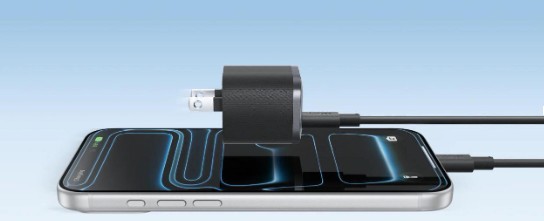
Not all chargers are equally safe, and using one that doesn’t match your device can pose risks. A low-quality or mismatched adapter may supply too little or too much power, forcing both the device and charger to overwork. Have you ever wondered which portable chargers for iphone 17 are safest for daily use? A reliable option like an Anker charger offers consistent output, reduces heat buildup, and supports safe fast charging. Always using a correct adapter ensures efficient charging without straining your device’s circuitry, and verifying that it matches your phone’s voltage and wattage specifications further optimizes safety.
Environmental and Usage Factors Trapping Heat
Poor Ventilation: Charging in Bed or Under Pillows
Many people charge their phones on a bed or under blankets, not realizing that restricted airflow traps heat. Cushioned surfaces prevent heat from dissipating naturally, creating a mini oven effect around the device and charger. This trapped heat can accelerate wear on internal components and increase the risk of fire in extreme cases. Even leaving your phone in a drawer or inside a laptop bag while charging can create similar issues. Using a hard, flat surface with proper ventilation is a simple habit that dramatically reduces overheating risks.
High Ambient Temperature and Direct Sunlight
External temperatures can amplify the heat generated during charging. Placing your device near a window or in a hot car exposes it to ambient heat that compounds internal heat from the charging process. Direct sunlight can raise surface temperature quickly, especially for devices with dark cases that absorb heat. Even short exposures can make the charger noticeably hotter and stress the battery. Being mindful of where you place your phone while charging can prevent unnecessary thermal buildup and prolong both charger and battery life.
The Demands of Fast Charging and Phone Activity
How Fast Charging Generates More Heat
Fast charging is designed to push higher currents into your device to reduce charging time, but higher power comes with increased heat. The battery, internal circuitry, and charger all generate additional warmth during this process. While most modern devices have safeguards, prolonged exposure to high temperatures can still accelerate battery degradation. Even quick daily top-ups can produce heat if the device is already warm from use. Understanding this relationship helps users plan charging times to balance speed and thermal safety.
The Double Burden: Using Your Phone While It Charges
Using your phone while it charges compounds heat generation. Running apps, streaming videos, or playing games increases processor activity and further raises internal temperatures. This double load can make a charger feel noticeably hotter than when the device is idle. It also reduces charging efficiency, causing the battery to take longer to reach full capacity. Whenever possible, it’s safer to minimize phone activity during charging to keep both device and charger cooler.
Immediate Steps to Take When Your Charger Overheats
First Response: Unplug and Cool Down
The first step when a charger becomes too hot is simple: unplug it immediately. Allow the charger and device to cool in a well-ventilated area before resuming use. Avoid placing them on soft surfaces like beds or couches during this cooling period. Using a fan or a slightly elevated surface can accelerate heat dissipation safely. Taking these precautions protects both your devices and your surroundings from potential hazards.
How to Diagnose if the Problem is the Charger or Outlet
Sometimes the source of overheating is not the charger but the power outlet. Using a different outlet or testing with another device can help determine if the problem is with the wall socket. Inspect outlets for discoloration, loose connections, or unusual smells, which can indicate electrical issues. If multiple chargers overheat on the same outlet, consult a licensed electrician. Identifying the root cause ensures you fix the problem effectively rather than repeatedly replacing chargers unnecessarily.
Conclusion
Charger overheating is a warning sign that should not be ignored. Hardware, environmental factors, and user behavior all play a role in generating excessive heat. While fast charging and multitasking are convenient, safety should always come first to prevent damage or accidents. Choosing the right charger, ensuring good ventilation, and monitoring device temperature can reduce risks significantly. By understanding the causes and adopting simple daily habits, you can protect both your phone and your home while still enjoying fast and convenient charging.